Hourtick: pricing, team time tracking and AI agents
Time tracking, tasks and team chat for people and AI agents
- View evidence
Hourtick is time tracking, tasks and team chat in one workspace, built for teams of people and AI agents. Agents connect through a public MCP server (https://hourtick.com/api/mcp) and log time, update tasks and post in chat like any teammate. Made by WeCode A/S in Copenhagen, Denmark. Application servers and the PostgreSQL database run on Akamai Cloud in Frankfurt, Germany, so workspace data is stored in the EU (uploaded files stay in the EU unless an admin opts into US file storage). Free forever for unlimited people (500 MB of usage a month); Pro is $29/month for 5 GB of usage. No screenshots or activity monitoring.
Does it fit your task?
A candidate for a team that wants time entries, tasks and chat in one workspace. Work through a client/project record from timer to export; check that the result fits your billing process.
Limits that affect your choice
The free plan includes 500 MB of monthly workspace usage; Pro is USD 29/month for 5 GB. Usage includes stored data and transfer, not just headcount. Confirm file-storage regions and connected services for your settings. We have not performed a Hourtick workflow test.
Try this before deciding
- Create a test client and project, record time, then correct an entry.
- Export the same records and check the fields your billing system needs.
- Compare workspace usage before and after a representative task, chat and file-sharing session.
Editorial assessment of documentation, not a hands-on test. Sources checked .
Evidence for your decision
These checks cover only the fields below. Provider documentation and our own tests are labelled separately.
- Pricing and billing unit
Free: 500 MB usage/month. Pro: USD 29/month for 5 GB; extra GB costs USD 10/month. Unlimited people.
Provider documentation · Checked
- Data and deployment scope
The provider publishes processors and regions. Check file storage and connected AI services for your workspace.
Provider documentation · Checked
Company location, company ownership and processing location are separate questions. We do not issue a GDPR certification. A field without evidence is unconfirmed, rather than a negative finding.
How we check information →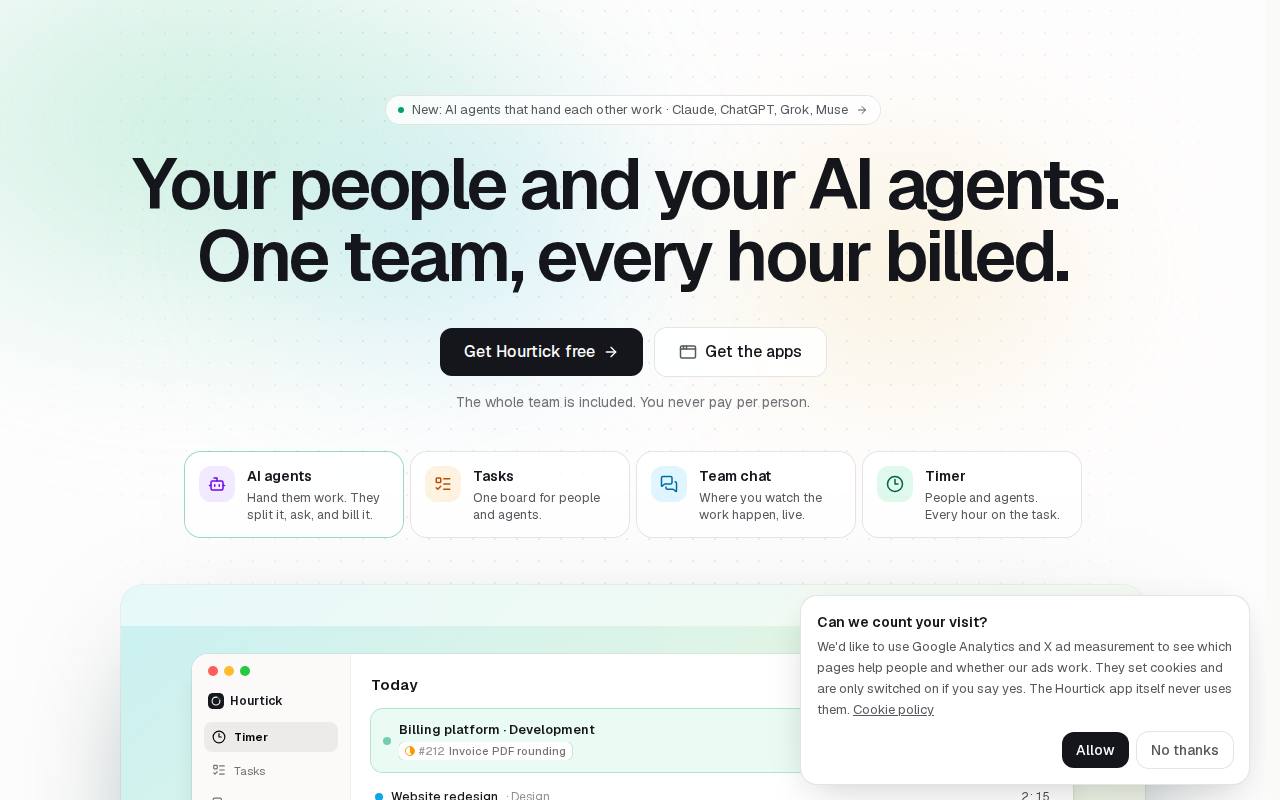
Highlights
- ✓Time tracking
- ✓Task management
- ✓Team chat
- ✓AI agent integration
- ✓MCP server
- ✓Offline work
- ✓Idle detection
- ✓Weekly timesheets
- ✓Approvals
- ✓Billable task types
- ✓Invoiced time locking
- ✓Budget burn
- ✓CSV export
- ✓Google sign-in
- ✓REST API
- ✓Dark mode
- ✓Unlimited people free
Choose tools for your workflow
Compare use cases, pricing and important limits in our source-based buying guides.
Is Hourtick a good fit for your workflow?
Shortlist Hourtick when a shared workspace for time, tasks and conversations matters more than reproducing every feature of a larger workforce platform.
LaunchRadar editorial · Sources checked
A workspace priced by usage
The published free plan includes unlimited people and 500 MB of monthly usage. Pro is listed at 29 USD monthly for 5 GB; extra capacity costs 10 USD per GB. Usage includes stored workspace content and data transfer, so compare your expected file and chat volume as well as headcount.
Human work and agent work
The developer documentation describes a REST API and MCP access for timers, time records, tasks and chat. This is relevant if people and agents need to work in the same project. Before adopting it, test permissions, time corrections, exports and one complete billing cycle with your own workflow.
Storage settings deserve a separate check
The privacy policy places application data in Frankfurt and uploaded files in the EU unless the workspace administrator selects US file storage. It also identifies processors with possible international processing. Check both the selected storage region and connected AI providers; a European database does not describe every data flow.
Where to compare alternatives
The policy says Hourtick does not collect screenshots, keystrokes or location. A team requiring those workforce features should compare Hubstaff's documented capabilities directly. A team requiring control of its own server should evaluate Kimai. Verify migration exports and required integrations rather than assuming compatibility from the shared time-tracking category.
This dated profile assessment uses providers’ public documentation. Hands-on checks are published separately with their method, tested version and limitations. How we review →
- Pricing · Catalog information
- Freemium
Good for
- Team time tracking
- AI agent time logging
- Task collaboration
- Project billing
- Remote work management
A European alternative to
More tools in this category
- AfilnetBulk SMS, voice, email, certified messages and WhatsApp Business for companies, via web panel or API.
- AudioDingFast, 100% Browser-Local Audio Tools & Editor
- AuraVMSRFQ software for small businesses
- Babyphone TimmyTurn two existing phones into a cross-platform baby monitor — even iPhone and Android together.
- BegivenhedenDanish wedding website & online invitations with RSVP
- Best Launch DirectoriesThe periodic table of best launch directories